Back to SiteWorx (Control Panel)
You can use SiteWorx's inbuilt file manager instead of an FTP program.
1. Log in to your SiteWorx account.
2. In the File Manager section, click on File Manager.
3. If you have multiple domains, choose the appropriate domain from the drop-down menu and click on Login.
4. Navigate to the directory where you want to upload your file. For uploading a file in the HTML directory, click on it.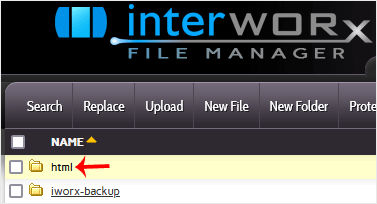
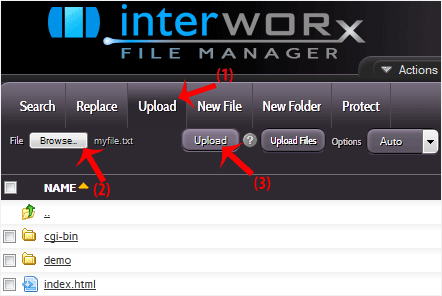
5. Click on the Upload link in the menu, choose Browse and select the file you want to upload from your computer. After you have selected the file, click on Upload.