Back to Email
You can send an email using Thunderbird. It is quite straightforward as you do not need to log in to the cPanel webmail manually. You can send an email directly using the Mozilla Thunderbird email client.
1. Open Mozilla Thunderbird.
2. On the left side of the top menu, click on Write. 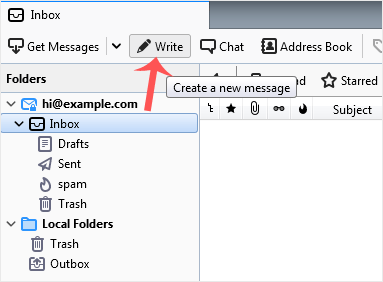
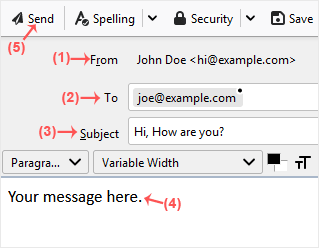
If you have multiple email accounts, click on your account, and a drop-down menu will open. Then select the appropriate email and enter the email account of the person you want to send an email to in the To field.
In the subject field, enter the subject of your email, enter your message in the Message box, and then click on Send.