Back to Domain Management
1. Log in to your cPanel account.
2. In the Domains section, click on Addon Domains.
3. Locate the addon domain under Modify Addon Domain and click on Remove.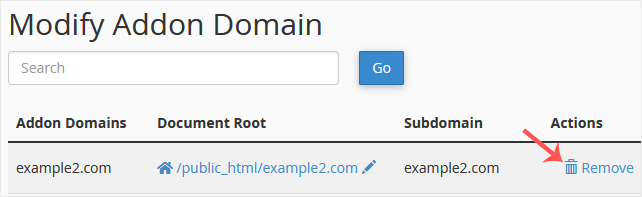
4. Click on Remove once more.
You should see a message that your addon domain has been removed.