Back to Domain Management
A subdomain is an additional part of your primary domain. Please, follow this tutorial to remove a subdomain in cPanel.
1. Log in to your cPanel account.
2. In the Domains section, click on Subdomains.

3. Under the Modify a Subdomain list, you can see a list of subdomains.
4. Click on Remove under the Actions tab.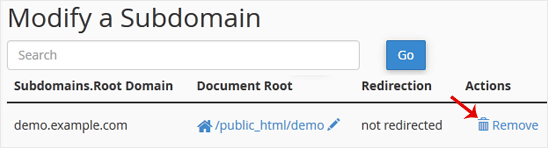
5. For confirmation, click on Delete Subdomain to remove your subdomain permanently.