Back to WHM
You can suspend а cPanel user from accessing your WHM account.
1. Log in to your WHM Account.
2. Go to Account Functions >> Manage Account Suspension or type Manage Account in the menu filter box. The option will appear. Click on it.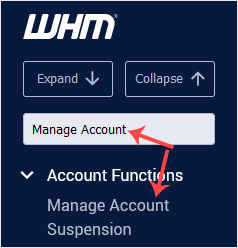
3. Under Select by domain, choose the user you want to suspend. Select the user from the drop-down list under Select by username.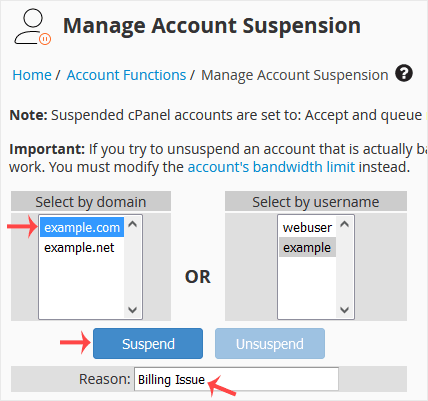
4. You can add a suspension reason. Type the reason and click on Suspend.
The account will be suspended, and the suspension message will display.