Back to Plesk
You can remove a domain in Plesk by following this tutorial.
1. Log in to your Plesk account.
2. Click on Websites & Domains from the Sidebar Menu.

3. Under the list of domains, click on the More icon  in front of the domain and select Remove website.
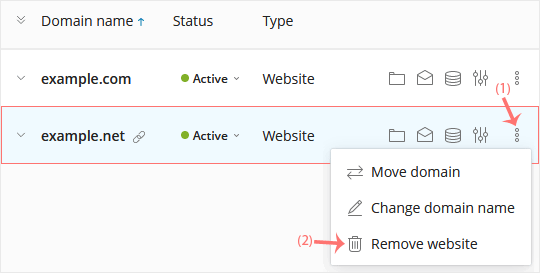
4. Confirm with Yes to remove the domain.