Back to DirectAdmin
1. Log in to your DirectAdmin Account.
2. In the Account Manager section, click on MySQL Management or type MySQL Management in the navigation filter box, and the option will appear. Click on it.
3. Click on Create New Database. You will find it on the top right.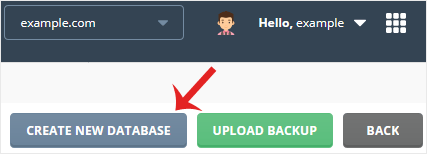
4. Enter your database name and password or click on the Generate Random Password icon. Then click on Create Database.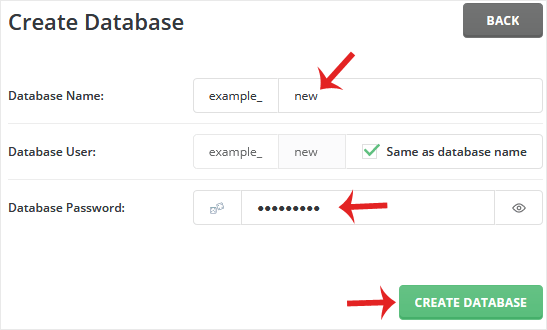
Please, copy the newly-created database details to a safe place.